How to share code online with live collaboration
Send a link and edit code together in real time — no signup needed
You are debugging with a teammate across time zones, walking a candidate through a live coding exercise, or sending a quick patch to a client who does not use your IDE. In every case, the bottleneck is the same: getting readable code in front of someone else without email threads, screenshots, or heavyweight screen-sharing tools.
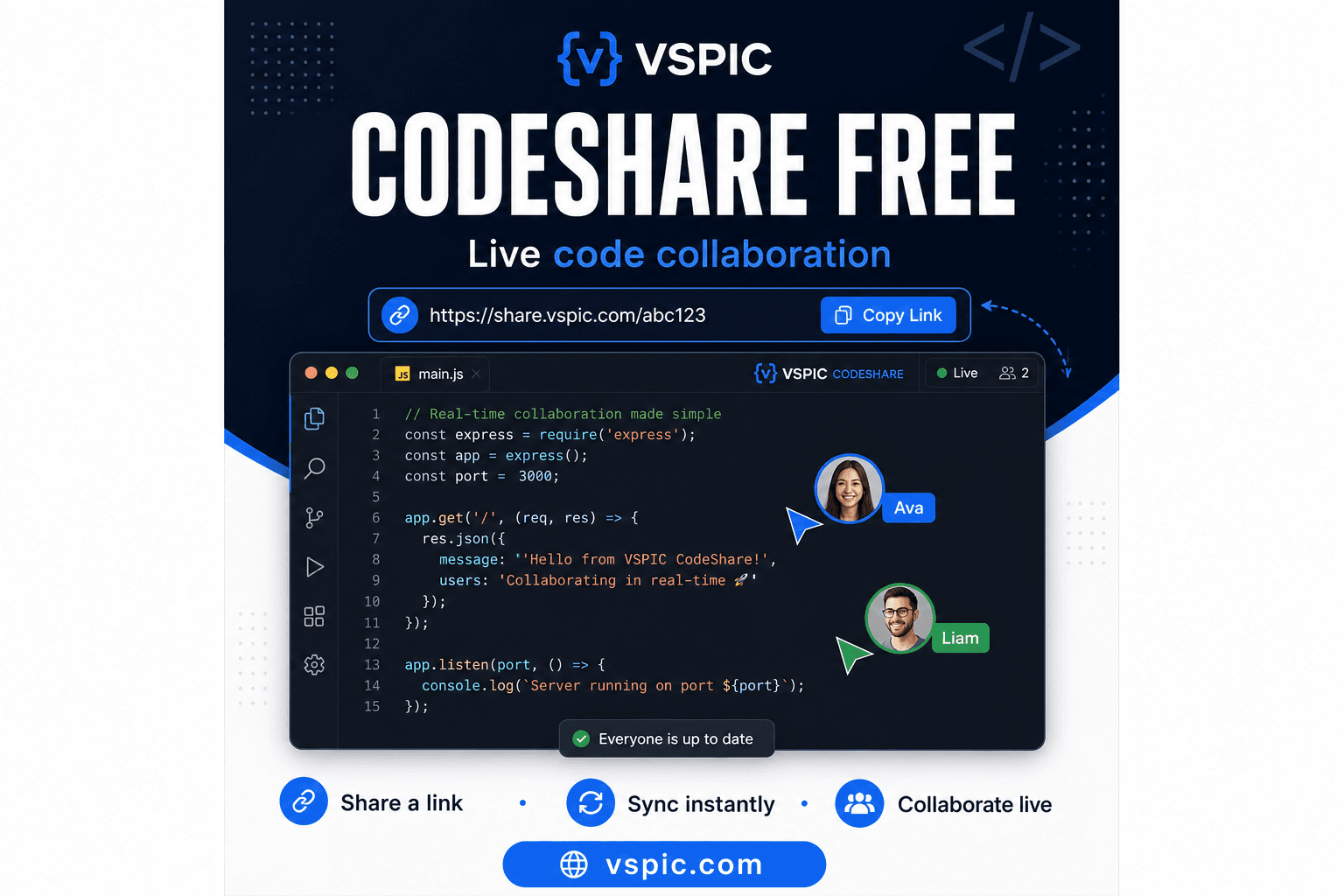
VSPIC CodeShare is a free live code editor that runs entirely in your browser. Create a room, paste or type your code, and share a URL. Anyone with the link sees the same buffer and can edit alongside you in real time. No signup, no plugin installs, and no server-side storage of your source beyond what the session needs to stay synchronized.
This guide explains what CodeShare is, when it beats traditional paste sites, how to run a smooth session, and how to stay safe when sharing proprietary or sensitive code.
What is VSPIC CodeShare?
VSPIC CodeShare is a browser-based live code editor designed for instant collaboration. Unlike static paste services that freeze text at upload time, CodeShare keeps a shared document synchronized between every participant who opens the same link. When one person types, others see the changes — the experience is closer to Google Docs than to a traditional gist or Pastebin.
The tool lives on vspic.com alongside dozens of other free utilities for images, PDFs, and developer workflows. You do not create an account to start a session. Open the CodeShare page, choose a language for syntax highlighting if you want it, and begin typing. A unique share URL is generated so you can drop it into Slack, Zoom chat, or an interview platform without asking the other person to install anything.
CodeShare is intentionally lightweight. It is not a full IDE — there is no project tree, debugger, or integrated terminal. That focus is a feature: when the goal is to show a function, review a regex, or pair on a fifty-line fix, a minimal editor removes setup time and gets both people looking at the same text immediately.
Why use a live code editor instead of pastebin or screen share?
Static paste sites work for one-way sharing, but they break down the moment collaboration starts. You paste version one, your partner replies with version two in a separate paste, and suddenly you are diffing URLs instead of solving the problem. A live editor keeps a single source of truth that updates as the conversation evolves.
Screen sharing shows your local environment — fonts, theme, unrelated tabs — and often struggles with readability on smaller laptop screens. CodeShare sends plain text in a clean monospace view. Both sides can zoom the browser, copy selections, and edit without fighting cursor ownership on a shared desktop.
- Real-time sync — everyone sees edits as they happen, reducing version confusion.
- Zero install — works on any device with a modern browser, including locked-down interview laptops.
- Syntax highlighting — language modes make Python, JavaScript, SQL, and other formats easier to scan.
- Fast link sharing — one URL replaces long email threads and chat file attachments.
- No account wall — start a session in seconds without OAuth or corporate SSO setup.
How to use VSPIC CodeShare step by step
- Open vspic.com/codeshare in Chrome, Firefox, Safari, or Edge.
- Select a programming language from the dropdown if you want syntax highlighting (optional but helpful for interviews).
- Paste existing code or start typing directly in the editor pane.
- Copy the share link from the address bar or the dedicated share control on the page.
- Send the link to your collaborator via chat, email, or video-call sidebar.
- Both participants edit freely; changes propagate to everyone connected to the same room.
- When finished, copy the final code back to your local project or repository.
For technical interviews, ask the candidate to open the link on their machine while you observe in read-mostly mode, then invite them to drive when it is time to implement. For internal debugging, paste the failing test and stack trace at the top as a comment block so context travels with the snippet.
Practical use cases for CodeShare
Pair programming and mob sessions
Distributed teams often skip formal pair programming because spinning up a shared VM or IDE license is slow. CodeShare lowers the bar: share a link in your standup channel, fix the bug together for twenty minutes, and move on. It works especially well for library code, configuration files, and SQL queries where a full repo checkout is overkill.
Technical interviews and take-home reviews
Interviewers use live editors to watch problem-solving in real time without peering over a shoulder. Candidates appreciate a familiar browser tab instead of a proprietary assessment platform. After the session, interviewers can copy the final solution into internal notes for consistent evaluation rubrics.
Customer support and agency handoffs
When a client pastes broken CSS into a ticket, support engineers can drop the fix into CodeShare, iterate live on a call, and let the client copy the working version back to their CMS. Agencies use the same flow for webhook payloads, regex patterns, and cron expressions that are awkward to describe in prose alone.
Workshops and classroom demos
Instructors project CodeShare on a screen while students follow along on laptops. Everyone edits the same starter file during a live coding segment. Because there is no local setup, workshop time goes to concepts instead of troubleshooting Node version mismatches.
Advantages of VSPIC CodeShare
- Speed — a shareable room exists in seconds, not minutes.
- Accessibility — browser-only access helps guests on corporate laptops with restricted installs.
- Clarity — monospace text with optional highlighting beats blurry screen-share video.
- Flexibility — useful for a two-line config fix or a two-hundred-line module review.
- Ecosystem fit — sits next to VSPIC PDF, image, and utility tools you may already use daily.
- Cost — completely free with no credit card or trial period.
Troubleshooting common CodeShare issues
Edits are not appearing for the other person
Confirm both users opened the exact same URL, including any room identifier in the path. Corporate proxies occasionally block WebSocket connections used for real-time sync. If updates stall, try a different network, disable aggressive VPN split rules, or refresh both tabs simultaneously.
Syntax highlighting looks wrong
Re-select the correct language from the dropdown. Mixed-language snippets — for example, HTML with inline CSS — may highlight imperfectly because the editor assumes a single grammar per buffer. Split multi-language examples into separate sessions if highlighting clarity matters for teaching.
Session content disappeared after closing the tab
Ephemeral sessions may not persist indefinitely after all participants disconnect. Always copy finished code to your repository, notes, or ticket system before ending the call. Treat CodeShare as a collaboration scratchpad, not long-term storage.
Large files feel sluggish
Browsers handle multi-thousand-line dumps less gracefully than a desktop IDE. Trim logs, collapse generated boilerplate, and share only the relevant function or class when possible. For huge JSON payloads, consider sharing a filtered excerpt plus a link to the full file elsewhere.
Tips for better CodeShare sessions
- Lead with context — paste error messages, API responses, or ticket numbers in a comment block at the top.
- Name your language early so highlighting helps both sides scan structure quickly.
- Agree on who drives — one editor at a time reduces conflicting cursor jumps during interviews.
- Use verbal timestamps — say 'I am rewriting the loop now' so watchers follow intentional refactors.
- Copy out before you close — save the final buffer locally; do not assume the room stays forever.
- Pair with VSPIC Secret Note when you must send credentials once without leaving them in chat history.
- For documentation handoffs, export finalized snippets to your wiki and link back to the ticket, not the live room.
CodeShare vs other ways to share code
| Method | Real-time collab | Install required | Best for |
|---|---|---|---|
| VSPIC CodeShare | Yes | No — browser only | Live pair sessions, interviews, quick fixes |
| Static paste sites | No | No | One-way snippets with no edits |
| GitHub Gist | Limited via comments | GitHub account helpful | Public examples tied to repos |
| Screen share | Visual only | Call software | Full IDE demos with UI context |
| Cloud IDE (Codespaces, etc.) | Yes | Account + project setup | Long-running repo work |
| Email attachment | No | Email client | Formal deliverables with audit trail |
Safety and privacy when sharing code
Treat every live code room as potentially public. Anyone with the URL can view and often edit the buffer. Do not paste production database passwords, private API keys, customer PII, or unreleased proprietary algorithms unless your organization explicitly allows it. Rotate any credential that accidentally lands in a shared session.
For secrets that must be delivered once, use VSPIC Secret Note to create a self-destructing link instead of leaving keys in a collaborative editor. For PDFs or documents that contain sensitive drafts, watermark and protect files with the PDF tools on vspic.com before wider distribution.
- Share room links only in private channels, not public forums or social media.
- Redact tokens, connection strings, and internal hostnames before pasting.
- Assume sessions are ephemeral — copy sanitized final code to secure internal systems.
- Follow your employer's data-handling policy for client code and regulated industries.
- Use time-limited secret links for passwords; use CodeShare for logic, not vaults.
Conclusion
VSPIC CodeShare exists for the moments when you need shared text more than a full development environment. Open a browser tab, share a link, and collaborate in real time — whether you are interviewing, debugging, teaching, or supporting a customer. Keep sessions focused, copy results before you close, and pair the tool with Secret Note when confidentiality matters.
Start a free live coding session now — no signup required.
Open CodeShareCommon questions, direct answers
Is VSPIC CodeShare really free?
Yes. CodeShare is free to use with no account required. Open the tool on vspic.com, start typing, and share the link. There is no premium tier or credit card step.
Do I need to install software to use CodeShare?
No. CodeShare runs entirely in a modern web browser. Chrome, Firefox, Safari, and Edge all work. Your collaborator needs only the share URL — not a plugin or desktop app.
Can multiple people edit the same CodeShare room at once?
Yes. Everyone with the link sees the same document and can edit concurrently. Changes sync in real time, similar to collaborative document editors.
Which programming languages does CodeShare support?
You can select a language mode for syntax highlighting on common languages including JavaScript, Python, Java, C++, SQL, HTML, CSS, and others from the dropdown. Plain text is always available if you prefer no highlighting.
Is CodeShare good for technical interviews?
Many teams use browser-based live editors for interviews because candidates avoid installing unfamiliar IDEs on locked laptops. Share one link, observe problem-solving live, and copy the final solution for your scorecard.
How is CodeShare different from Pastebin or GitHub Gist?
Paste sites and gists are typically static — upload once, share a frozen snapshot. CodeShare synchronizes live edits so two or more people work on the same buffer without passing revised URLs back and forth.
Does VSPIC store my code permanently?
Treat sessions as collaborative scratch space, not archival storage. Copy finished work to your repository or ticket system. Do not rely on a room staying available indefinitely after participants disconnect.
Can I use CodeShare on mobile?
Mobile browsers can open share links and view code, but typing long sessions on a phone keyboard is awkward. For serious pair programming, use a laptop or desktop on both sides when possible.
What should I avoid pasting into CodeShare?
Avoid production secrets, private API keys, unredacted customer data, and unreleased proprietary code unless policy allows. Anyone with the URL may access the room. Use Secret Note for one-time credential delivery instead.
Why are edits not syncing for my teammate?
Verify you share the exact same URL, check corporate firewall or VPN rules that block real-time connections, and try refreshing both tabs. Switching networks often resolves stalled sync.
Can CodeShare replace a full cloud IDE?
No — it is a lightweight shared buffer, not a project IDE with git, terminals, and debuggers. Use CodeShare for focused snippets; use a cloud IDE when you need an entire repository checkout.
How does CodeShare fit with other VSPIC tools?
Developers often pair CodeShare with Secret Note for credentials, HTML to PDF for exporting write-ups, and image or PDF utilities on the same site for documentation workflows — all free and browser-based.
Safe in our hands
VSPIC takes security seriously. Remember that…
- Free tools run in your browser when possible — your files and queries are not stored longer than needed to complete your request.
- No account is required. Use any tool immediately without sharing an email address.
- We use HTTPS on every page so data in transit is encrypted between your device and our servers.
- We only process what is needed to complete your request and do not sell your data or personal information.
Guides are written by the VSPIC Editorial Team under our editorial policy.
Open the free tool, use CodeShare, and get results in seconds.
Try CodeShare now